World of Maths
Description
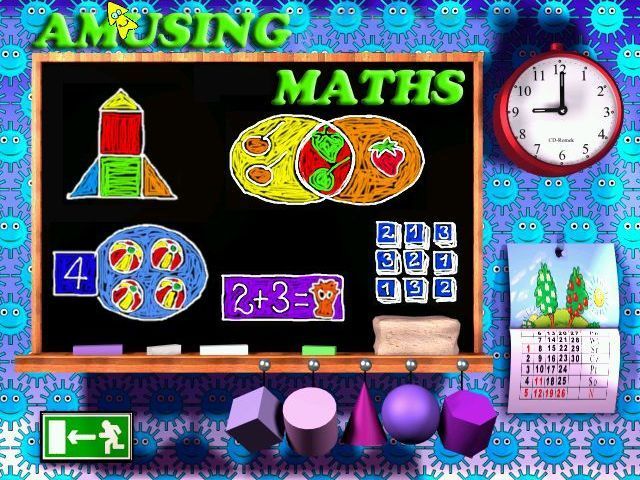
World of Maths is an collection of single-player, mouse controlled, educational mini-games that teach mathematics and logic to children. The game opens to a menu screen showing a blackboard on a wall, each of the pictures on the blackboard as well as the items on the wall link to a mini game.
The mini games are:
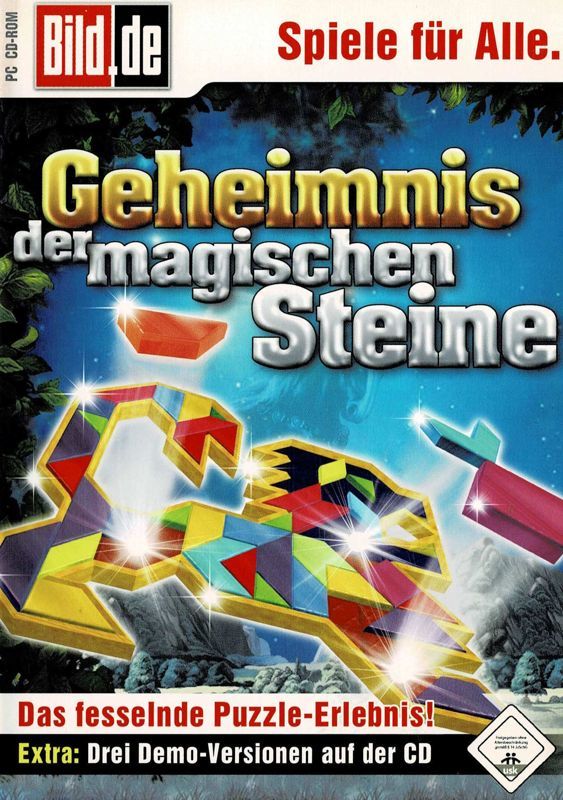
- Tangram: The player has to complete a shape using the supplied geometric tiles. Pieces are dragged into place with the mouse and are rotated using the right mouse button. This game has a HINT option which briefly shows the completed puzzle.
- Sets and Undersets: Here the player is asked to group items.
- Counting: The player is shown two groups of items and is asked to count the number in each set.
- Maths and Space: A twelve level platform game in which the player jumps from a platform at the top of the screen while trying to complete a sum. For example if the first platform has the number 14. the second has the multiplication sign and the third has the number 2 then the player looks to finish on a platform showing the number 28.
- Magical Square: This starts with an example and an explanation of what a magic square is after which there are three incomplete squares for the player to finish
- Clock: A series of short animated scenes showing activities that take place at different times of the day together with an analogue and digital clock.
- Calendar: This starts with an explanation of the calendar, the number of days in the year, the months and the seasons after which there is a test in which the player has to put the months of the year on order
- Memories: There are four parts to Memories, Fractions; Measures and Weights; Flat Figures and Three Dimensional Figures. All these mini games are Concentration variants.
Fractions sees the player match a fraction, say 3/4, with an image of a circle in which three of the four quadrants are coloured. The Measures and Weights equivalent would match 1g with 1000mg and so on while the two shape related puzzles have a word, e.g. Square or Cube, which has to be matched to the appropriate image.
These mini games have a leader board.
While some activities have a help screen for most of the mini-games there are no written instructions, all these games instructions are spoken so a sound card is needed to understand how to play. This game runs directly from the CD.